GEPCO online bill payment
Every channel below uses the same 14-digit reference number. Pay before the due date — the late-payment surcharge is added automatically after it.
Estimate first with the GEPCO online bill calculator.
Banking apps
Any Pakistani bank app: choose bill payment → electricity → GEPCO, enter the reference number, confirm the amount.
Easypaisa & JazzCash
Utility bill payment in either wallet app takes under a minute and gives you a saved record for history.
ATM & bank branch
Pay at any ATM with bill-payment service, or over the counter at any commercial bank branch with the printed bill.
Pakistan Post & shops
Pakistan Post offices and authorised utility-bill shops accept cash payment against the paper or duplicate bill.
Before you pay
- Match the reference number and amount with the bill from the checker — a wrong digit pays someone else's bill.
- Pay 1–2 days before the due date; app payments near midnight can post the next day.
- Keep the transaction ID / stamped copy until the next bill shows the payment.
- Paid but still showing unpaid next month? Call 118 with your transaction ID ready.
Keep the proof of payment
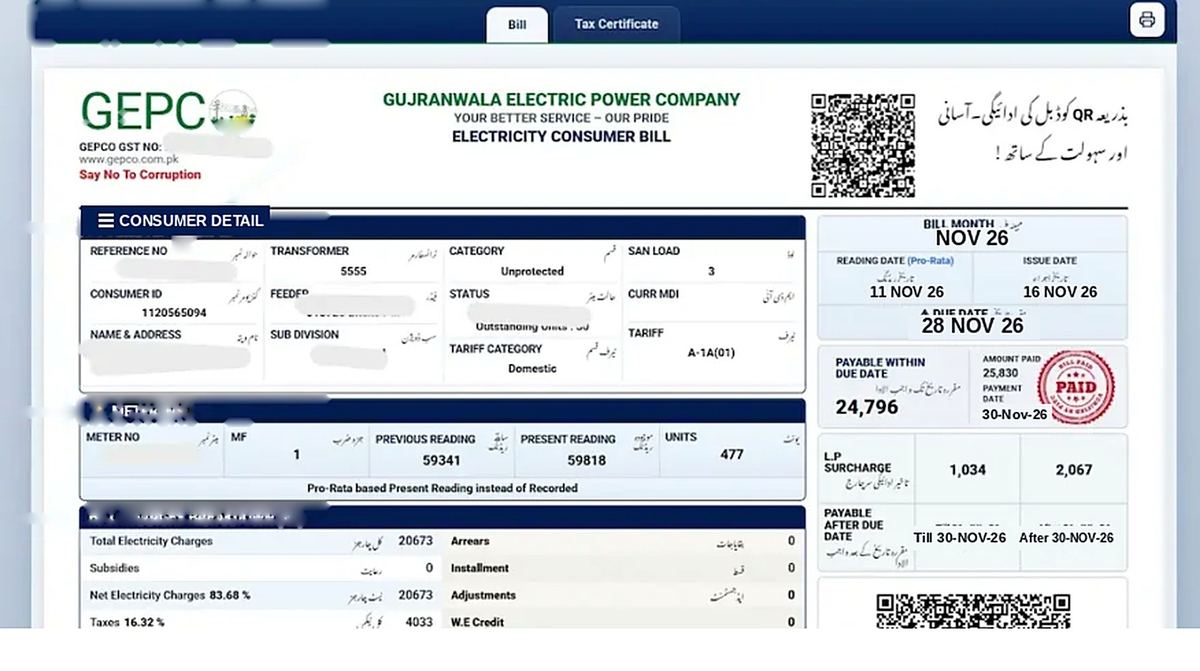
Save the receipt or screenshot from every payment, and check that the reference number and the amount on it match your bill.
A late-payment surcharge is added automatically after the due date and shows on the next bill, so paying 1–2 days early is the safe habit. Keep each receipt with your monthly record, see Bill History.
How to check if your GEPCO bill is paid
- Payment status: open the official PITC portal at bill.pitc.com.pk/gepcobill, enter your reference number and check whether the bill shows as paid.
- Next bill: your next bill's history section shows your last payment, and any unpaid amount appears as arrears.
- Receipt: keep the transaction ID or screenshot from your bank, JazzCash or Easypaisa app as proof.
Online payments can take some time to update in the billing system. Wait before paying again, and contact GEPCO with your receipt if the payment is still missing on your next bill.
Paying in installments
If you can't pay the full bill, ask GEPCO about installments. Under NEPRA's rules, no late payment surcharge or markup applies to the first installment if it is paid within the due date. The remaining installments carry markup. Visit your GEPCO sub-division office with your bill and CNIC to apply.
Banks and apps that accept GEPCO bills
You can pay your GEPCO bill at any branch of these commercial banks: Habib Bank Limited (HBL), United Bank Limited (UBL), MCB Bank Limited, Allied Bank Limited (ABL), National Bank of Pakistan (NBP) and Bank Alfalah. Mobile banking apps that support GEPCO bill payment include JazzCash, Easypaisa, HBL Mobile, UBL Digital, Meezan Digital Banking, Bank Alfalah Alfa, MCB Live, Allied Bank myABL and NBP Digital.